motioncontrolai.ai
AI Video Maker Generators & Tools
Motion Control AI turns a character image and a reference motion video into controlled animations that match gestures, rhythm, and energy.
- Pricing
- Free
- Category
- Video
- Listed
- Jun 3, 2026
- Updated
- Jun 3, 2026
Promoted
 KurodyneSell the tools from your AI side projects. Listing is free.
 Sidrune AI85% off. Stable Claude API for agent developers. Pay as you go. Invoices & refunds available.
 Pixmax.aiPixmax.ai is an all-in-one AI workspace for videos, visual stories, and marketing content.
 RewindType any X/Twitter handle. Get their year back as a narrated video story. Then ask it anything.
 SEOify - Improve your SEO & rankingsBuild links to rank in Google. Improve your DR with links you can start building now.Advertise here270,000+ people visit Dang.ai every month.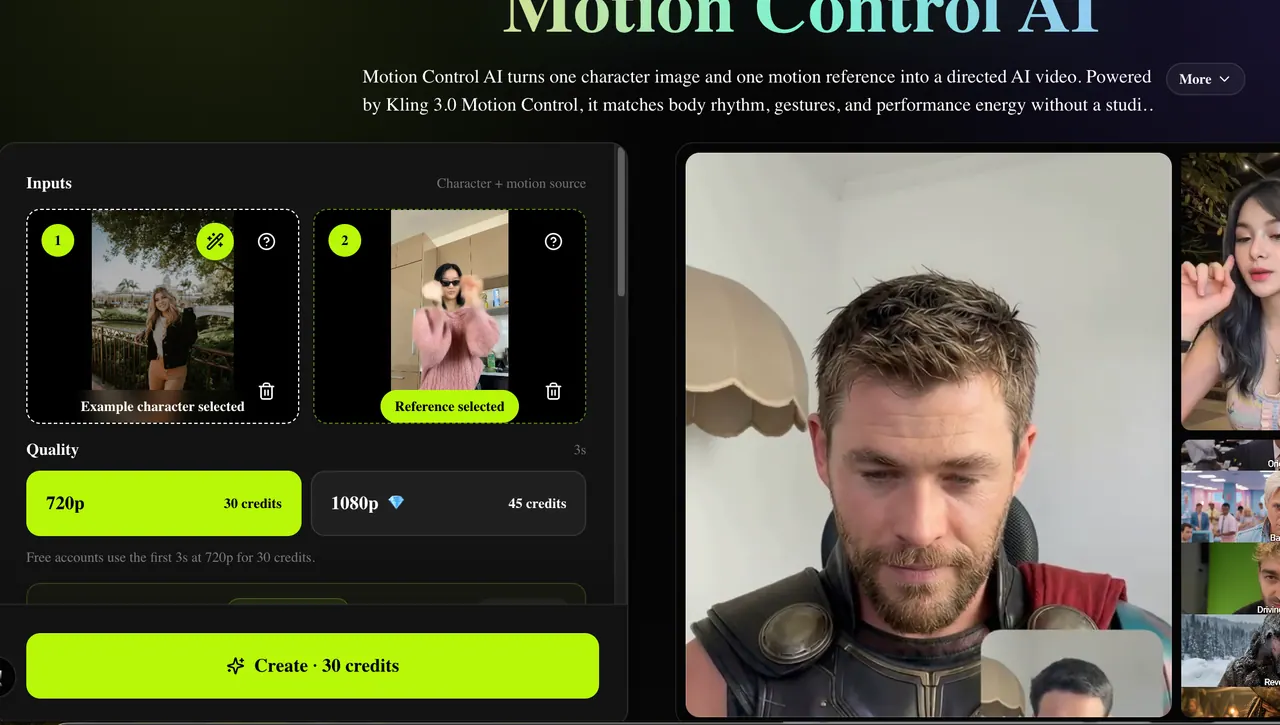
What does motioncontrolai.ai do?
Motion Control AI helps you direct character animation using real movement. Upload one character image and one motion reference (from the built-in library or your own MP4/MOV), then generate a new video where the character performs the reference’s body rhythm, gestures, and performance energy.
Choose a motion-control mode to match what you’re trying to reuse—full-body motion transfer, gesture guidance (hands/arms/head), expression sync (smiles, eye direction, attitude), or cinematic realism that combines motion transfer with controlled pacing and camera feel. You can render short tests first to verify identity stability, motion accuracy, and timing before making longer or higher-resolution outputs.
It’s designed for creator shorts, avatar channels, marketing and product presenters, education and training explainers, and film/animation previsualization. With 720p and 1080p output options and credit-based creation, you can iterate quickly from a single source image and motion clip without a studio shoot or mocap workflow.
What do I need to create a Motion Control AI video?
You need one character image and one motion reference. Use a built-in reference motion from the library or upload an MP4/MOV clip.
Can I use a motion reference preset instead of uploading my own video?
Yes. The built-in reference motion library lets you pick a motion source and generate using that selection.
How do motion-control modes change the result?
Motion Transfer focuses on full-body movement timing, Gesture Control guides hands/arms and other body actions, Expression Sync carries facial/performance attitude, and Cinematic Realism adds controlled pacing and camera feel with 720p/1080p output settings.
What do the Image vs Video orientation settings do?
Image orientation keeps the final framing closer to the character image, while Video orientation follows the reference video framing and is the default for most motion clips.
How are credits calculated?
Credits depend on reference duration and output resolution: 720p costs 10 credits per second and 1080p costs 15 credits per second, rounded up to whole seconds.
Can I keep the audio from the reference clip?
Yes—when audio timing matters, you can keep the original sound from the reference video. Turn it off if you plan to add separate music or a new voiceover.
This listing is claimed
Own motioncontrolai.ai? Sign in with the email used to claim it to manage this listing, or upgrade to Pro for featured-first placement and a newsletter feature.